UniFi Travel Router: My Network Follows Me
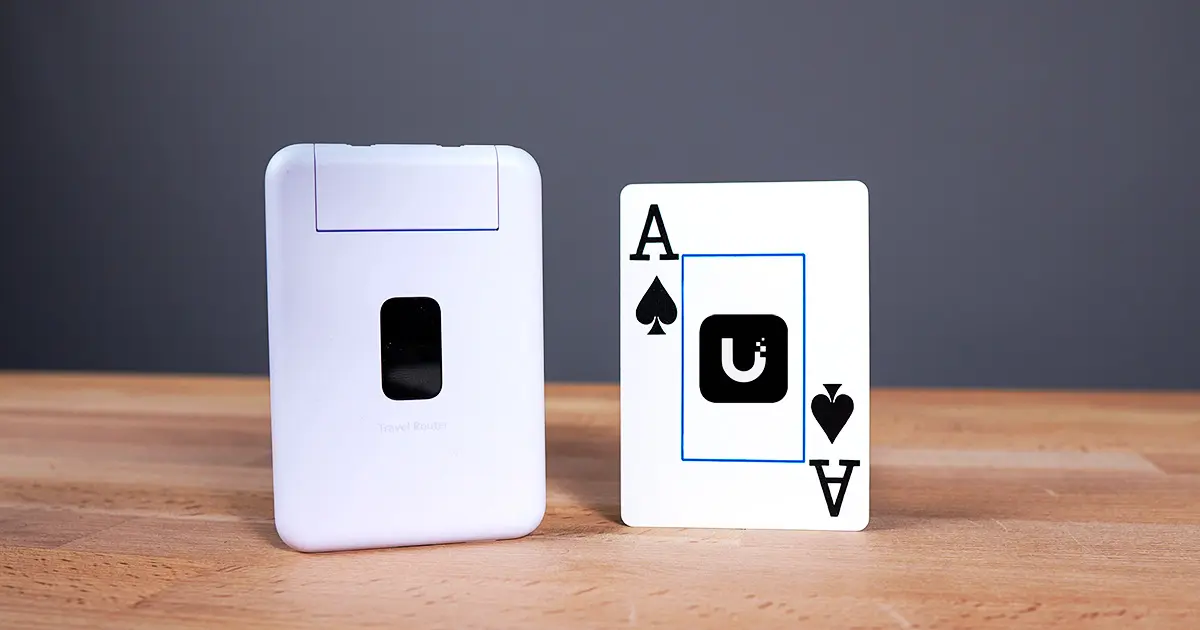
When you travel with multiple devices (and especially if you’re traveling with family), the WiFi setup is never just “connect once and move on.” It’s the phone, the laptop, the tablet, the other laptop, and then you’re playing tech support before you’ve even unpacked.
In this video, I walk through how I’m using the UniFi Travel Router (UTR) as a portable extension of my home UniFi network - with Teleport (WireGuard) back to my home site, real speed tests across different uplinks, and a couple “I can’t believe this worked” experiments (G6 Instant to UNVR, and adopting a Flex Mini over Teleport).
Where to buy
- UniFi Travel Router: https://store.ui.com/us/en/products/utr?a_aid=TechnoTim (affiliate link)
- UniFi Cloud Gateways: https://store.ui.com/us/en/category/all-cloud-gateways?a_aid=TechnoTim (affiliate link)
What the UTR is
The UniFi Travel Router (UTR) is a compact travel router designed to make your UniFi network portable.
At a high level, the workflow is:
- Connect the UTR to whatever WAN you have available (WiFi uplink, Ethernet, or phone tethering)
- Bind it to a UniFi site
- Broadcast the WiFi network you want (for me, it’s my home SSID)
- Let Teleport handle the secure tunnel back home
Why a travel router is useful (even if you already know networking)
A good travel router lets you handle the “internet side” once, then everything behind it stays on your private network. That gives you:
- Less device-by-device WiFi setup
- Isolation from public WiFi
- A clean place to apply VPN/tunneling (instead of configuring VPN clients on every device)
Why I care about this (I’ve been chasing it for years)
I’ve been chasing the “perfect travel router” for a long time.
I started by carrying a basic home router with me. Then I went full DIY and built a travel setup that was basically a mobile homelab - maximum flexibility and a fun learning project, but also more complexity than I want to deal with when on short trips where I just want things to work.
The UTR is interesting because it’s aiming for grab-and-go without giving up the UniFi workflow.
Setup: claim → uplink → bind → broadcast
Setup is one of the best parts.
Once you power it on, you can claim it through the UniFi Network mobile app. The UTR shows up in Site Manager because it doesn’t belong to a site yet - which makes sense.
From there:
- Choose how you want WAN
- Bind the UTR to the UniFi site you want to connect back to
- Choose which WiFi network you want the UTR to broadcast
For my setup, I bind it to my home site, pick my home SSID, and let the UTR bring up a Teleport VPN (WireGuard) tunnel automatically.
Once the SSID is broadcasting, your devices see a familiar network and automatically connect.
Performance notes (what I saw)
I ran speed tests across the three main ways I’d use the UTR.
WiFi uplink (WiFi-as-WAN)
When the UTR is using WiFi uplink and serving your client devices, it’s doing “double duty.” In my testing I saw roughly 100–250 Mbps up/down.
Wired WAN
Once I plugged into the WAN port and took that load off WiFi, speeds jumped to ~300–400 Mbps.
LAN to laptop
With LAN into a laptop via a USB-C Ethernet adapter, I saw ~500–600 Mbps - which is pretty good considering traffic is tunneling back to my home network and being encrypted.
USB WAN (phone tethering)
USB WAN works as expected: plug your phone into the other USB-C port and the router treats it like the WAN connection.
In my test I saw ~50 Mbps to a laptop over WiFi, but that was limited by my phone’s cellular download speed at the time (confirmed by testing directly on the phone).
I’m not sure where this tops out but will test with more in better service areas in the future.
The “they read my mind” part: G6 Instant → UNVR over the travel router
I’ve traveled with a small Wyze camera for a long time so I can check in on the dogs when we step out.
I wanted to see if I could replace that with a UniFi camera and keep everything inside the UniFi ecosystem, especially the recorded footage.
It worked.
AG6 Instant that was already adopted to my Protect NV automatically connected to the local network, and it was able to record footage back to my UNVR through the UTR - including detections - with footage backed up remotely.
That’s a big deal for me, because it means I can start packing a better “travel camera” that saves the footage to my UNVR that’s hosted in my own environment.
Bonus experiment: adopting a Flex Mini over Teleport
Out of curiosity, I plugged a Flex Mini 2.5G into the UTR LAN port to see what would happen.
To my surprise, it detected immediately and let me adopt it - basically like I was at home.
That makes it really easy to expand a remote network if you need more ports or want to plug in additional wired devices.
Quick Q&A: do you need a Cloud Gateway?
Yes.
The UTR isn’t a standalone UniFi OS console by itself. You need to bind to an existing UniFi site and using Teleport, which means you need a gateway running that site somewhere to terminate the connection. UniFi OS alone won’t work either, you need a UniFi Cloud Gateweway.
Feedback / wish list
At $79, this is a really good value and it checks basically all the boxes for me as a travel router. My wishlist is mostly small quality-of-life items - and I get that a lot of these would drive up cost:
- A little more performance headroom
- A tiny in-app dashboard (uplink status, traffic, client count, site)
- Broadcasting multiple SSIDs
- A padded carrying case
- More firewall options (power-user stuff like split tunneling / tighter control over what gets extended)
- Standalone mode for the UTR if you don’t want to Teleport back to your home network
What I’m still testing: captive portals
One thing I’m not validating in this video is captive portals.
Ubiquiti says it works, but I’ll be traveling over the next few weeks and I’ll report back once I’ve tested it in the wild.
Wrapping Up
If you’re already running UniFi at home and you want a travel setup that feels like an extension of your network, the UTR fits that workflow really well - especially for multi-device travel and anyone who’s tired of repeatedly reconfiguring WiFi.
If you’ve got questions you want me to test during travel (hotels, airports, captive portals), leave them in the comments and I’ll include them in the follow-up.
Join the conversation
Posted my UniFi Travel Router (UTR) workflow:
— Techno Tim (@TechnoTimLive) December 29, 2025
- bind to my home site with Teleport
- bring my SSID with me
- even record a G6 Instant back to my UNVR.
Also tested WiFi uplink, wired WAN, and USB phone tethering.https://t.co/p7nCrahLKx
🤝 Support the channel and help keep this site ad-free
🛍️ Check out all merch: https://shop.technotim.live/
⚙️ See all the hardware I recommend at https://l.technotim.live/gear